It's 9:15 on a Monday morning. A vendor is standing at the front desk, shifting his weight from one foot to the other, waiting for someone to notice him. The receptionist is juggling three ringing phones. Somewhere behind her, a stack of visitor registers sits on the shelf, their pages curling at the edges, ink fading on entries from three years ago that nobody has ever opened again.
By the time the vendor is finally signed in, scribbled illegibly into a notebook, and told to "have a seat," fifteen minutes have passed. The host he's meeting still doesn't know he's arrived. Nobody has checked his ID. If there were a fire alarm right now, no one could tell you how many people are actually in the building.
If this sounds familiar, you're not alone. Reception desks across corporate offices, hospitals, factories, and campuses are still running on processes designed for a world that no longer exists. A visitor management system isn't just a modern convenience anymore it's quickly becoming the difference between a workplace that feels secure and professional, and one that quietly bleeds time, trust, and safety with every visitor who walks through the door.
This guide breaks down exactly why that shift is happening, what a visitor management system actually does, and how to think about choosing one for your organization.
The Problem With How Most Workplaces Handle Visitors Today
Walk into almost any mid-sized office, hospital, or factory and you'll find some version of the same setup: a register, a pen, and a receptionist trying to do five things at once. It works, technically. But "working" and "working well" are two very different things.
Manual visitor registers create problems that compound quietly over time. A name is misspelled. A phone number is illegible. A host doesn't get notified that their guest has arrived, so the visitor sits in the lobby for twenty minutes wondering if anyone remembers they exist. None of these moments feel like a crisis on their own but stacked together, they shape how every visitor, client, vendor, and candidate perceives your organization within the first five minutes of contact.
There's a security dimension too, and it's more serious than most teams realize. A paper log tells you who signed in, but nothing about whether that information is accurate, whether the visitor actually left when they said they would, or whether someone tailgated in behind an authorized guest without signing anything at all. When compliance auditors or investigators ask "who was in the building on a specific date," flipping through months of illegible handwriting is not a real answer.
Add in the day-to-day chaos a receptionist juggling calls, packages, and walk-ins simultaneously and manual visitor management stops looking like a minor inconvenience and starts looking like a genuine operational risk.
What Is a Visitor Management System?
A visitor management system is a digital platform that automates the process of registering, verifying, tracking, and managing visitors as they enter and exit a facility. It replaces paper logbooks with a streamlined digital check-in, host notifications, and searchable visitor records, giving organizations real-time visibility into who is on their premises at any given moment.
In practice, this means a visitor can pre-register before arrival, check in through a kiosk or QR code within seconds, get their photo captured and badge printed automatically, and have their host notified instantly all without a single page of a register being touched.
Why Manual Visitor Logs No Longer Work
The gap between paper-based check-ins and digital visitor management isn't cosmetic; it shows up in nearly every operational metric that matters to a front desk or a security team.
| Factor | Paper Register | Digital Visitor Management System |
|---|---|---|
| Check-in speed | 2–5 minutes per visitor, often longer during rush hours | Under 30 seconds via QR code or kiosk |
| Data accuracy | Prone to illegible handwriting and incomplete entries | Standardized digital fields, fewer errors |
| Security & ID verification | Minimal to none | Photo capture, ID scanning, watchlist checks |
| Host notification | Manual — someone has to physically inform the host | Automatic real-time alerts via SMS/email/app |
| Audit trail | Physical, easily lost or damaged, hard to search | Digital, timestamped, instantly searchable |
| Compliance readiness | Difficult to produce records on demand | Reports generated in seconds |
| Emergency evacuation | No real-time headcount possible | Live visitor list accessible during emergencies |
| Scalability across locations | Each site keeps separate, disconnected records | Centralized, cloud-based visibility across sites |
| Visitor experience | Impersonal, often frustrating | Fast, professional, welcoming |
This comparison isn't about paper registers being "old-fashioned" it's about the fact that they were never designed to handle the security, compliance, and scale expectations that modern workplaces now operate under.
The Biggest Workplace Challenges Manual Systems Create
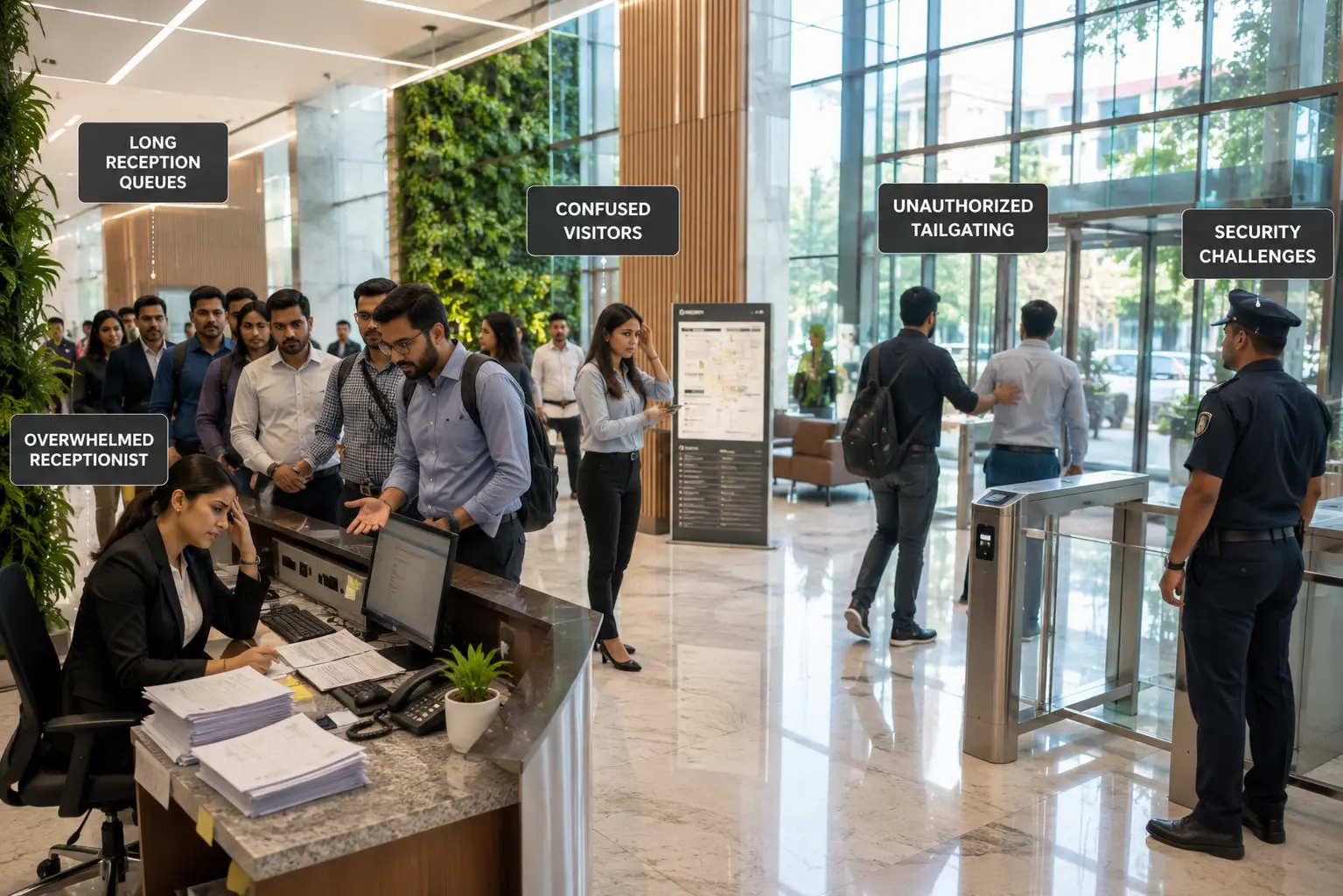
Several recurring problems show up again and again when organizations rely on manual or semi-manual visitor processes:
- Unauthorized visitors and tailgating: someone slips in behind a legitimate visitor without ever being logged.
- Long queues at reception: especially during peak hours or large meetings and events.
- Visitor confusion: about where to go, who to contact, or how long to wait.
- Lost or damaged records: that make historical lookups nearly impossible.
- Human error: in manual data entry, from misspelt names to skipped fields.
- Security incidents: that go undetected because there's no real-time visibility into who's actually on-site.
- Compliance failures: when auditors request visitor logs that simply don't exist in a usable format.
- Poor visibility for facility managers: who can't answer basic questions like "how many people are in the building right now?"
- Evacuation difficulties during emergencies, when there's no reliable way to headcount visitors alongside employees.
Each of these challenges seems small in isolation. Together, they represent a workplace that's reactive instead of prepared.
Practical Business Benefits of Digital Visitor Management
The value of a visitor management system isn't abstract; it shows up in how different teams experience their workday.
For receptionists and front-desk staff, automation removes the repetitive burden of manual data entry, freeing them up to actually welcome visitors instead of processing paperwork. For security teams, real-time visitor tracking and instant access to digital logs mean faster response times and stronger accountability. For HR teams, streamlined check-ins make a strong first impression on interview candidates and new hires often before they've even met anyone.
Facility managers gain visibility they never had before: accurate headcounts, usage patterns across buildings, and evacuation-ready visitor lists. Management teams get access to visitor analytics that can inform decisions about staffing, security investment, and space planning. And visitors themselves simply have a better experience: no queues, no illegible forms, no waiting around wondering if anyone knows they've arrived.
The measurable outcomes tend to follow a consistent pattern: reduced average wait times, fewer security gaps, faster compliance reporting, and a noticeably smoother day-to-day operation at the front desk.
Industry-Specific Use Cases
Corporate offices use visitor management to handle high visitor volumes clients, vendors, interview candidates while maintaining a polished, professional first impression and keeping meeting rooms and host calendars in sync.
Manufacturing units rely on visitor screening and access control to keep unauthorized individuals away from restricted zones, machinery, and safety-sensitive areas, while maintaining records for safety audits.
Hospitals need to track visitors accurately for patient safety, infection control, and emergency preparedness, often managing multiple entry points and visitor categories (family, vendors, contractors) simultaneously.
Schools and universities use digital check-in to screen visitors against safety watchlists, notify staff instantly when a parent or guest arrives, and maintain campus security without slowing down daily operations.
Government organizations depend on strict identity verification and audit trails to meet regulatory and security requirements, particularly for buildings with restricted access levels.
Co-working spaces manage a constant flow of different members' guests, requiring flexible, self-service check-in that doesn't burden a shared front desk.
IT companies, often housing sensitive client data and intellectual property, use visitor management as a core layer of their broader enterprise security and data privacy strategy.
Modern Features Businesses Should Expect
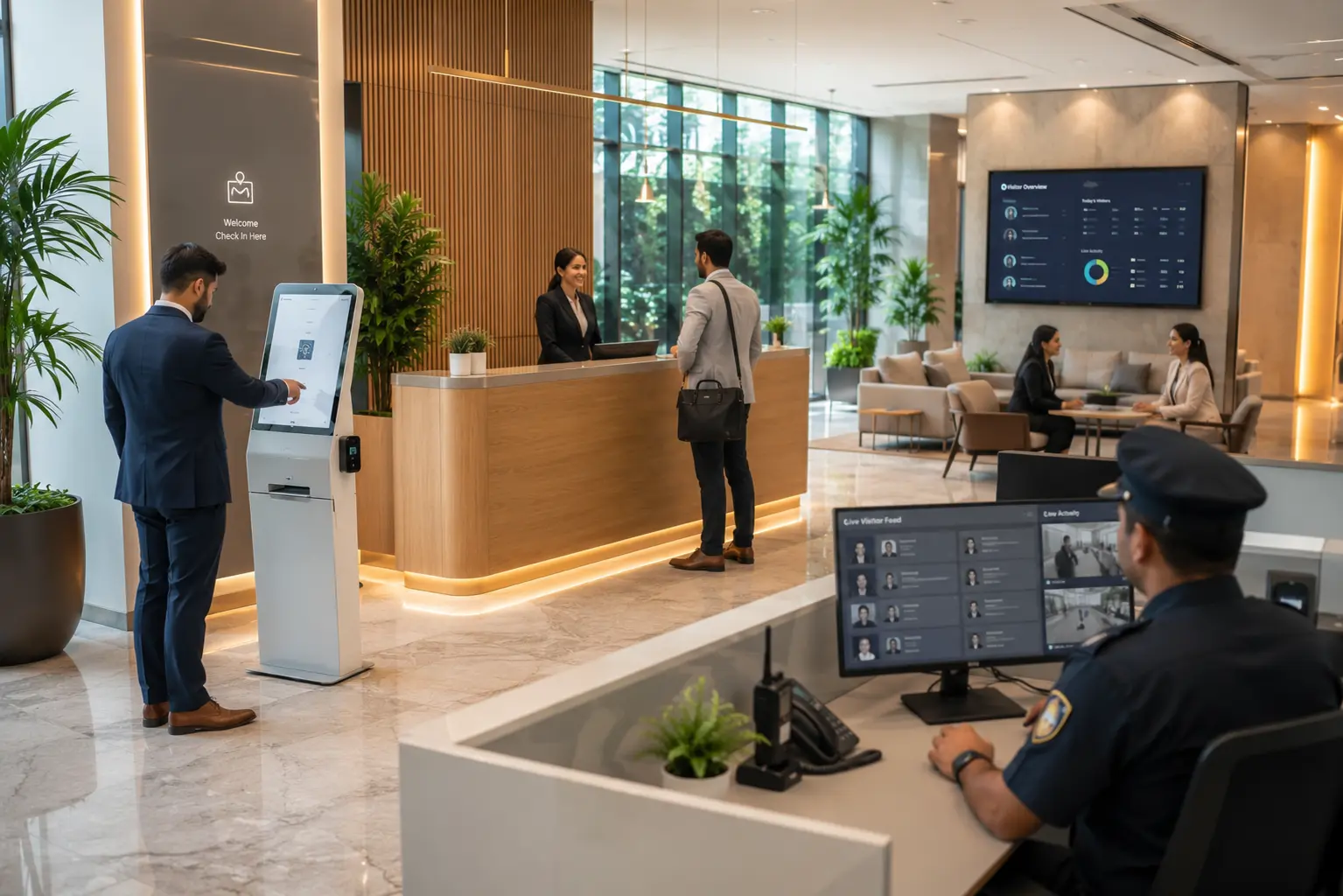
A capable visitor management system in 2026 goes well beyond a digital sign-in sheet. Here's what actually matters in daily operations:
QR code visitor check-in lets guests scan and register in seconds, eliminating queues entirely. Pre-registration allows hosts to add expected visitors in advance, so check-in on arrival takes moments. Visitor badge printing gives every guest a clear, professional, and identifiable credential for the duration of their visit.
Host notifications in real time mean no visitor is left waiting because someone forgot to make a call. ID verification and visitor photo capture add a genuine layer of security that paper simply can't provide. Digital agreements (like NDAs or safety declarations) can be signed electronically during check-in, removing another paper-based bottleneck.
An analytics dashboard turns visitor data into usable insight peak hours, frequent visitors, dwell times, and more. Emergency evacuation reports give facility and security teams a real-time, accurate headcount during a drill or an actual emergency. And for organizations with multi-location management needs, cloud-based access means every site's data lives in one centralized, accessible system rather than a dozen disconnected registers.
Security, Compliance, and Privacy: What to Actually Look For
Any conversation about visitor data has to take privacy seriously. A well-built visitor management system should offer clear audit trails, so every check-in and check-out is timestamped and traceable. It should support access control, ensuring visitors can only reach the areas they're authorized to enter, and integrate with existing physical security measures rather than working around them.
Data privacy matters just as much as physical security. Visitor information names, contact details, photos, ID scans should be stored securely, with clear policies about retention and access. Look for systems that give administrators control over who can view visitor records internally, not just how visitors are tracked externally.
It's worth being cautious of vendors that make sweeping compliance guarantees without specifics. The more honest and useful framing is this: a good visitor management system gives you the tools audit trails, secure storage, access permissions to support your organization's compliance and security posture, rather than promising to solve compliance on its own.
Choosing the Right Visitor Management System: A Practical Checklist
With dozens of vendors in the market, it helps to evaluate options against a consistent set of criteria rather than getting pulled in by a long feature list. Consider:
- Ease of use can front-desk staff and visitors use it with minimal training?
- Scalability will it handle growth across multiple locations or departments?
- Integration capabilities does it connect with your existing calendar, HR, or security systems?
- Customization can workflows, badges, and forms be adapted to your industry's needs?
- Reporting and analytics are the insights actually useful for decision-making, not just data for its own sake?
- Mobile accessibility can hosts get notifications and manage visitors from their phones?
- Customer support is help available when something goes wrong during business hours that matter to you?
- Security features does it include ID verification, watchlist screening, and access control options?
- Pricing transparency are costs clear upfront, without hidden fees for essential features?
- Future readiness is the platform actively maintained and updated as security and compliance expectations evolve?
Running any shortlist of vendors through this checklist tends to separate genuinely capable platforms from ones that look good in a demo but fall short in daily use.
Why VizMan
Every challenge covered in this guide slow check-ins, security blind spots, compliance headaches, disconnected records across locations is exactly what a well-designed visitor management platform is built to solve. This is where VizMan fits into the picture.
VizMan approaches visitor management the way this guide has: starting from the operational realities that reception teams, security staff, and facility managers deal with every day. It brings together QR code check-in, host notifications, badge printing, ID verification, and multi-location cloud access into a single platform, so organizations aren't stitching together separate tools to cover basic front-desk needs.
For teams evaluating the checklist above ease of use, scalability, integration, security, and transparent pricing VizMan is worth a closer look, not because it claims to do everything, but because it was built around the specific workflows that corporate offices, hospitals, manufacturing units, and educational institutions actually run on.
Conclusion
The Cost of Waiting Is Higher Than the Cost of Changing
Every organization eventually reaches a point where the gap between how visitors should be managed and how they are managed becomes impossible to ignore. Maybe it's a security audit that turns up incomplete records. Maybe it's a client who mentions, politely but pointedly, that check-in took longer than the meeting itself. Maybe it's simply the slow realization that nobody in the building could produce an accurate visitor headcount if they needed to.
The challenges outlined throughout this guide long queues, illegible paper logs, missed host notifications, security gaps, and compliance blind spots aren't isolated inconveniences. They're symptoms of a visitor process that was never designed for the volume, security expectations, or operational pace of a modern workplace. Whether you're running a corporate office, a hospital, a manufacturing facility, or a university campus, the underlying issues tend to look remarkably similar.
Digital visitor management addresses this at the root. It replaces guesswork with real-time visibility, replaces manual bottlenecks with automated workflows, and replaces a stack of aging registers with a searchable, secure, audit-ready digital record. The result isn't just a faster front desk it's a workplace that feels more secure, more professional, and more in control of one of its most basic responsibilities: knowing who is actually inside its walls.
The organizations that modernize their reception processes now are the ones that won't be scrambling to explain a visitor log during their next audit, security review, or emergency drill. If your front desk still runs on paper and guesswork, there's rarely a better time to change that than before you actually need the system to prove itself.
If you're ready to see what a modern, purpose-built approach to visitor management looks like in practice, explore how VizMan can support your organization starting with a closer look at how it fits your specific industry and workflow.