Picture a typical Monday morning at any busy office. A visitor walks up to the front desk, picks up a pen, and signs a paper register that's been sitting there since 8 a.m. The receptionist glances at it, maybe calls the host, maybe doesn't. By lunchtime, nobody remembers who's still in the building.
This isn't a rare scene. It's still how thousands of workplaces offices, hospitals, schools, government buildings handle visitors every single day.
The problem isn't just that it's slow. It's a real security gap. Paper logs go missing. Unauthorized visitors slip through unnoticed. Front desks get overwhelmed during peak hours. And when leadership asks "who visited us last month, and why?" there's no good answer.
The fix already exists, and it's changing how modern workplaces handle their front door: a visitor management system.
Quick Answer: A visitor management system (VMS) is software that replaces paper sign-in sheets with a digital check-in process verifying visitor identity, notifying hosts automatically, printing badges, and keeping a searchable log of everyone who enters and exits a building.
What Is a Visitor Management System?
A visitor management system is a digital tool that automates the entire visitor check-in process from pre-registration to badge printing to exit logging.
Think of it as a front desk that never sleeps. It registers guests digitally, alerts the right host the moment someone arrives, generates a badge on the spot, and keeps a real-time, searchable record of every person who's been on-site.
What it replaces: the paper logbook, the manual phone call to the host, and the guessing game about who's still in the building.
What it adds: identity verification, instant notifications, and compliance-ready data storage.
Key Takeaway Box
- A VMS digitizes visitor check-in from arrival to departure.
- It gives security teams a live, searchable record something paper can't do.
- It's used across offices, hospitals, schools, factories, and government buildings.
Why Paper Sign-In Sheets Don't Work Anymore
Here's what actually happens when a visitor checks in the old-fashioned way:
| Step | Paper Process | What Goes Wrong |
|---|---|---|
| Registration | Visitor writes name on a form | No identity verification |
| Host alert | Receptionist calls or walks over | Slow, easy to forget |
| Badge | Generic sticker or none at all | Anyone can fake it |
| Exit tracking | Rarely recorded | No one knows who's still inside |
| Records | Paper stored in a drawer | Not searchable, easy to lose |
Each of these gaps compounds. A missing exit record becomes a real problem during a fire drill. An unverified visitor becomes a security incident. And in 2026, with data privacy laws tightening across most regions, an unsecured paper log is also a compliance risk not just an inconvenience.
In short: the old method creates security gaps, compliance gaps, and a poor first impression all at once.
What Should a Modern Visitor Management System Actually Do?
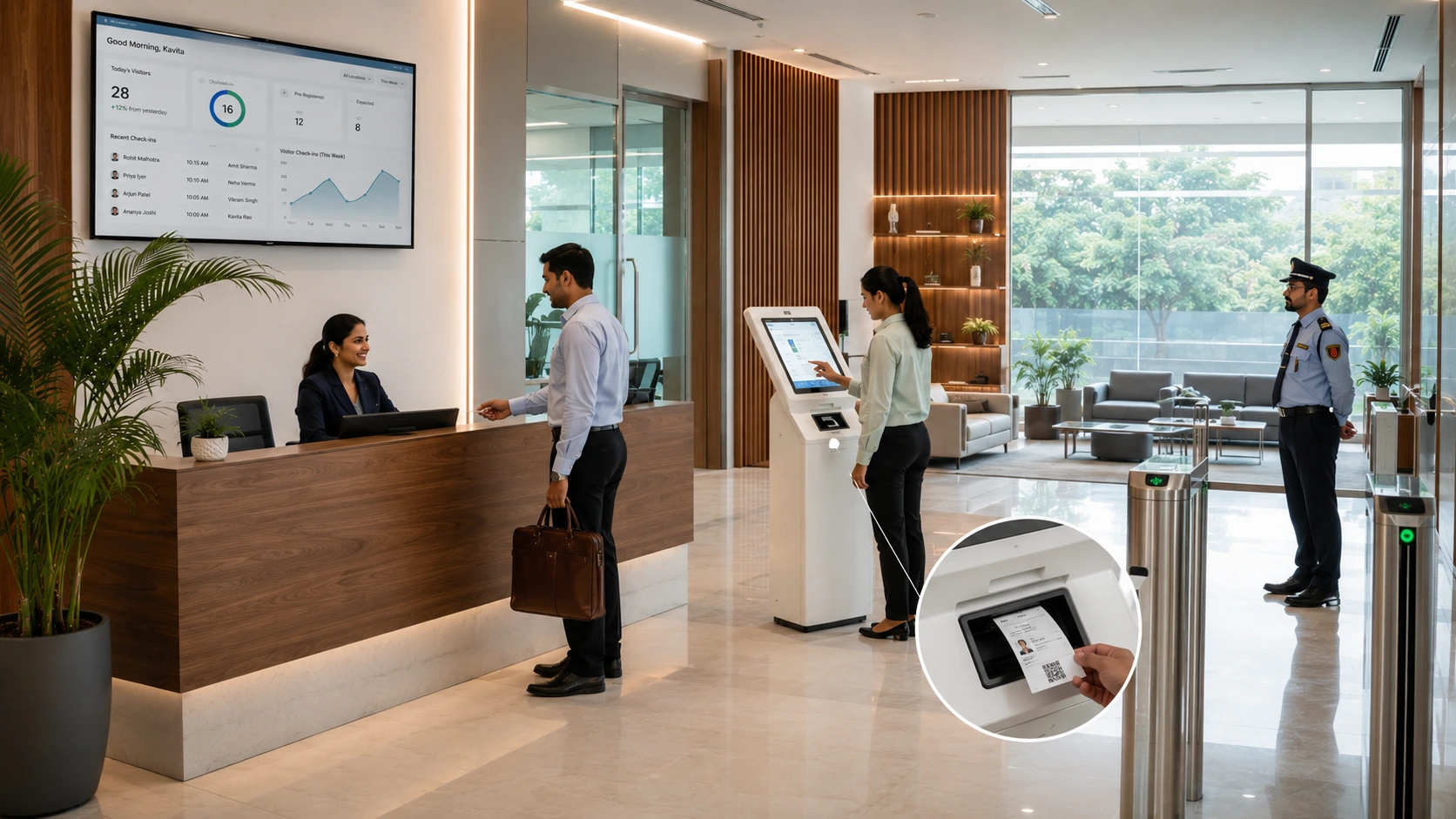
A visitor management system earns its place at the front desk by hitting a few clear goals:
- Speed: check-in should take under 60 seconds
- Security: every visitor's identity is verified at the door
- Less manual work: front desk staff aren't stuck on repetitive tasks
- Better first impressions: a smooth check-in reflects well on the brand
- Real-time visibility: you always know who's currently on-site
- Contactless operation: supports a safer, more modern workplace
These aren't optional extras. In regulated industries healthcare, government, manufacturing several of these are compliance requirements, not preferences.
Core Features to Look For in a Visitor Management System
Not every VMS on the market offers the same depth. Here's what separates a basic check-in tool from one that actually strengthens security.
Digital Pre-Registration
Visitors register online before they arrive. This shortens check-in time and lets the host prepare no surprises at the door.
QR Code and OTP Check-In
On arrival, the visitor scans a QR code or enters a one-time password at a kiosk or tablet. No paper, no shared pen a detail that matters more since the pandemic made touchless processes the expectation, not the exception.
Face Recognition and ID Verification
Higher-security sites can add biometric checks or ID scanning, confirming that the person checking in is who they claim to be.
Automatic Host Notification
The moment someone checks in, the host gets an SMS, email, or Slack/Teams alert and can approve or flag the visit instantly, without leaving their desk.
Instant Badge Generation
A printed or digital badge appears immediately, showing the visitor's name, photo, host, visit date, and expiry time. Anyone in the building can verify a visitor at a glance.
Real-Time Logs and Analytics
Every check-in is stored and updated live. Security and facilities teams can filter by date, department, or host, and pull audit-ready reports in seconds.
Emergency Evacuation Lists
During a fire alarm or emergency, the system generates an instant, accurate list of everyone currently in the building a detail paper logs simply cannot deliver in real time.
Multi-Location Dashboards
For businesses with more than one office or campus, a single dashboard shows visitor activity across every location.
Data Privacy and Compliance Support
Visitor data should be encrypted, access-controlled, and automatically deleted after a set retention period supporting compliance with frameworks like the EU's GDPR or India's DPDP Act, as well as local workplace regulations.
Note on compliance: Exact requirements vary by country and industry. If your organization operates under specific regulations, confirm retention periods and data-handling rules with your legal or compliance team this article gives general guidance, not legal advice.
Benefits of a Visitor Management System
| Benefit | What It Looks Like in Practice |
|---|---|
| Stronger security | Every visitor is verified and logged; unusual patterns trigger alerts |
| Faster reception | Check-in takes seconds; pre-registered visitors self-check-in |
| Better first impressions | A touchless, professional process beats a clipboard and pen |
| Less manual admin | No manual host calls, no manual badge printing |
| Real data and insights | Peak hours, most-visited departments, average visit length |
That last point matters more than it seems. Once check-in data exists digitally, it becomes something you can actually analyse, informing staffing decisions, space planning, and even which departments get the most external traffic. None of that is possible with a stack of paper forms.
Who Uses Visitor Management Systems?
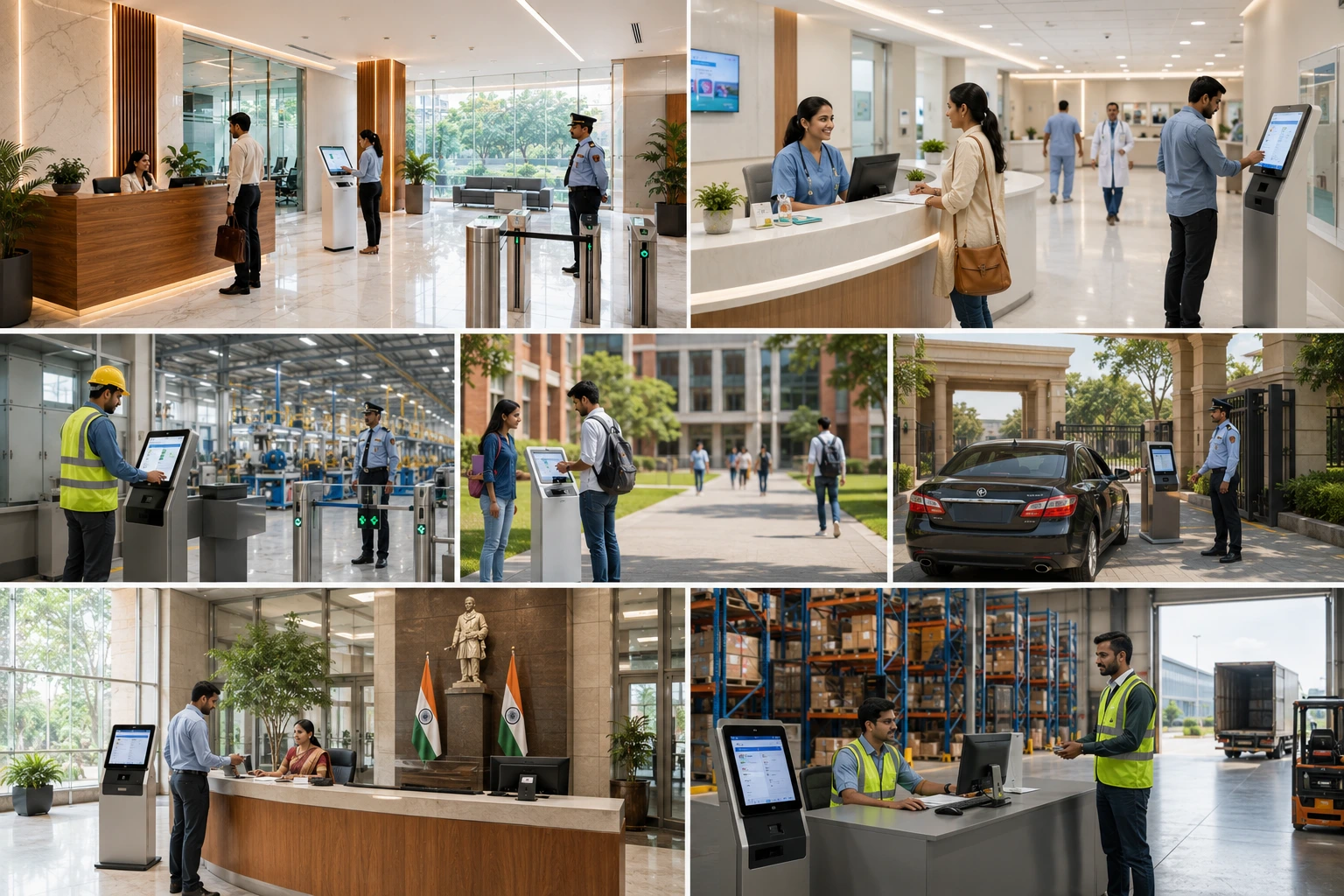
This isn't just a large-corporation tool. Here's where it makes a measurable difference:
- Corporate offices: protect sensitive areas, manage client visits professionally
- Co-working spaces: track guest visits and control access to shared areas
- Hospitals and clinics: control patient visitors and vendor entries, and maintain accurate counts during emergencies
- Schools and universities: know exactly who's on campus, streamline parent and vendor check-ins
- Manufacturing units: log contractors, auditors, and delivery staff with time stamps and visit purpose
- Residential societies: allow residents to pre-approve guests, replacing gatehouse registers that anyone could alter
- Government buildings: meet strict identity verification and audit trail requirements
- IT parks and large enterprises: manage multiple entry points and high daily visitor volume from one dashboard
How to Choose the Right Visitor Management System
Use this checklist when comparing options:
- Does it support pre-registration and self-check-in?
- Can it integrate with your access control, HRMS, or communication tools?
- Does it manage multiple locations from a single dashboard?
- Is visitor data encrypted and compliant with relevant privacy laws?
- Does it support emergency evacuation reporting?
- Is the interface simple for both visitors and staff?
If a system checks all six boxes, it's not a luxury add-on by 2026 standards, it's closer to an operational baseline.
Where Visitor Management Is Headed
The technology is moving quickly. AI is increasingly used to flag tailgating (someone slipping in behind an authorized visitor) and to predict peak traffic times. Integration with smart building systems means doors, elevators, and meeting rooms can respond automatically based on check-in status.
Biometric check-ins are becoming more common in high-security settings. And as hybrid work grows, these systems are expanding beyond external guests increasingly managing employees checking into hot-desks and shared spaces too.
Common mistake to avoid: Choosing a system based on check-in speed alone. A fast check-in with weak identity verification or poor data security defeats the purpose. Speed and security should be evaluated together.
Conclusion
A visitor management system isn't just a front-desk upgrade it's a core part of keeping any workplace safe, organized, and compliant. Whether you run an office, a hospital, a school, or a government facility, replacing your paper log with a digital check-in process closes security gaps that clipboards simply can't fix.
If you're still handing visitors a pen and a sign-in sheet, it's a good time to reconsider. The right system protects your workplace today and keeps it ready for what's coming next.
Key Takeaways
- A visitor management system replaces paper sign-in sheets with automated, secure, trackable digital check-ins.
- Paper logs create real security, compliance, and experience gaps they're not just outdated, they're risky.
- Core features to look for: pre-registration, QR/OTP check-in, host notifications, instant badges, real-time logs, and evacuation tracking.
- Data privacy compliance (GDPR, DPDP Act, or local regulations) should be a non-negotiable feature, not an afterthought.
- Used across offices, hospitals, schools, factories, societies, and government buildings, not just large corporations.
- Choose a system based on both speed and security, not speed alone.